
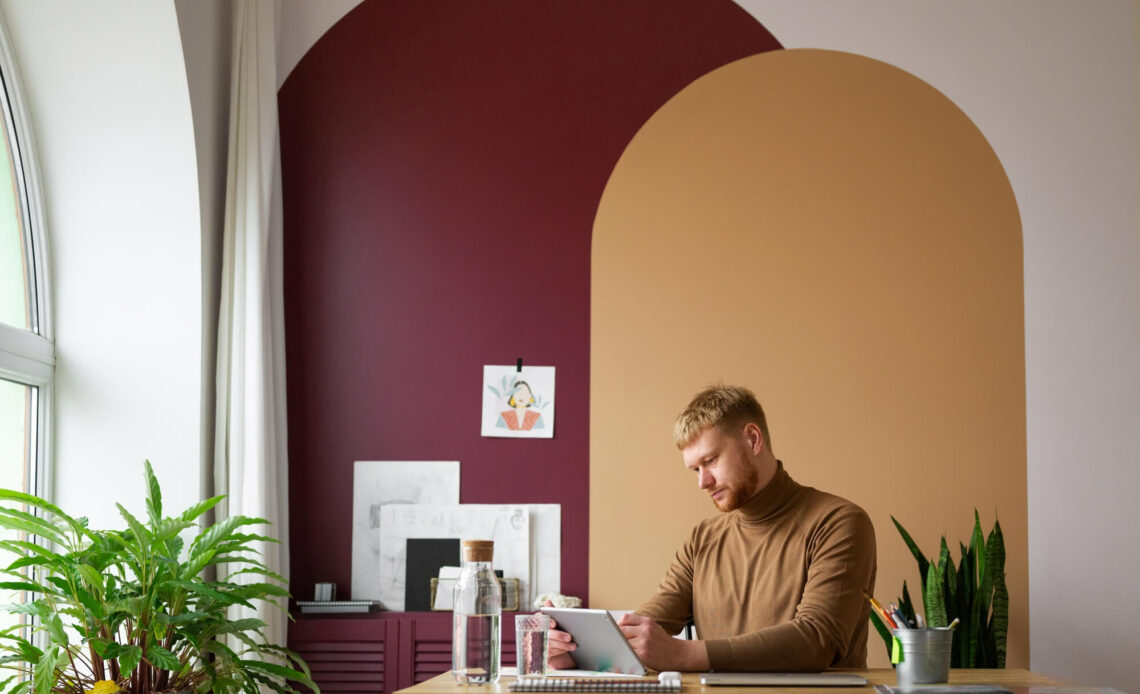
Working from home has become the new normal for many of us, and having a well-designed home office can make all the difference. A functional and inspiring workspace isn’t just about aesthetics—it boosts productivity, keeps distractions at bay, and helps create a clear boundary between work and home life.
I’ve learned that even small adjustments, like better lighting or ergonomic furniture, can completely transform how you feel and perform in your space. Whether you’re dealing with a dedicated room or a cozy corner, there are plenty of ways to craft a setup that works for you. Let’s dive into some practical tips to create a home office that’s both stylish and efficient.
Materials And Tools Needed
A well-equipped home office supports both efficiency and comfort. Selecting the right materials ensures seamless workflow and a clutter-free environment.
Basic Supplies
Don’t miss out! Keep these basic supplies before you begin.
- Desk and chair: A sturdy desk with enough surface area and an ergonomic chair protect posture during long working hours.
- Lighting: Task lighting, such as desk lamps, and natural light options reduce eye strain. Adjustable lamps add flexibility.
- Storage solutions: Shelves, file organizers, and cabinets keep documents and office tools within reach while maintaining order.
- Electronics and peripherals: Laptops or desktops paired with monitors, printers, and noise-canceling headphones improve productivity.
- Stationery and accessories: Items like pens, notebooks, sticky notes, and desktop organizers enhance daily operations.
Optional Add-Ons
Some add-ons you shouldn’t miss.
- Decorative elements: Wall art and desk plants create a personalized and inspiring workspace.
- Cable management tools: Clips, organizers, and trays hide messy wires, making the area tidy.
- Ergonomic accessories: Standing desk converters, wrist rests, and footrests enhance physical comfort.
- Acoustic panels: Panels or noise-reduction rugs minimize distractions in shared spaces.
- Smart home devices: Smart speakers or thermostats add functionality and convenience to the home office.
Choosing The Right Space
Selecting the ideal area is essential for designing an efficient home office. The chosen space impacts productivity, privacy, and overall functionality.
Evaluating Your Home’s Layout
I assess the available areas in my home to find the most suitable spot. Dedicated rooms like spare bedrooms or finished basements work best, with separation from high-traffic zones enhancing focus. If no full room is available, I look for underutilized corners or niche areas, ensuring they have access to natural light and electrical outlets.
Maximizing Small Spaces
I prioritize furniture that serves multiple purposes, like foldable desks or wall-mounted shelves, when space is limited. Vertical storage solutions, such as tall bookshelves, help take advantage of height. Compact ergonomic chairs and minimalistic designs ensure the workspace remains functional and clutter-free.
Considerations For Shared Spaces
In shared environments, I focus on creating boundaries to maintain productivity. Dividers, curtains, or bookcases visually separate the workspace without permanent changes. I use noise-canceling headphones to minimize auditory distractions. Establishing and communicating a set schedule with others helps manage space usage effectively.
Planning Your Home Office Layout
An efficient home office layout combines practical functionality with personal comfort. Thoughtful planning ensures the space not only looks appealing but also supports productivity and focus.
Functionality Over Aesthetics
Prioritizing function ensures the space meets work needs before focusing on design. I arrange essential items like my desk, chair, monitor, and necessary electronics within easy reach to maintain efficiency. Sufficient lighting is installed to combat eye strain; task lighting is perfect for focused work areas, while ambient lighting prevents overly harsh conditions. Storage options, such as shelves or drawers, are placed strategically to keep supplies accessible yet organized. I avoid overcrowding by limiting decorative items, ensuring the space remains uncluttered and conducive to work.
Balancing Comfort And Style
Creating a space that balances comfort with visual appeal promotes both usability and enjoyment. I choose ergonomic furniture, like an adjustable chair and desk, to support my body during long work periods. Small but impactful elements, such as cushions, plants, or artwork, add personality without overwhelming the workspace. My design choices stay cohesive with the home’s overall aesthetic, ensuring the office blends seamlessly. By integrating noise-dampening materials like rugs or curtains, I foster a quiet and comfortable atmosphere, perfect for focusing.
Zoning For Productivity
Designating specific zones within the office optimizes functionality and minimizes distractions. I allocate areas based on tasks; for example, I use the desk for computer work, a table or small cabinet for storage and administrative tasks, and a corner or chair for breaks. Separating work and relaxation zones reduces the likelihood of mixing tasks and helps maintain focus during working hours. When space is limited, I use vertical dividers, standing desks, or multi-functional furniture to clearly demarcate different activities while making the most of available space.
Selecting The Right Furniture
Furnishing a home office combines practicality with style to create an efficient and comfortable workspace. Each furniture piece affects functionality and productivity.
Choosing The Perfect Desk
A desk serves as the foundation of any home office setup. I prioritize a desk with sufficient surface area to accommodate essential items like monitors, keyboards, and writing supplies, ensuring an efficient working environment. For small spaces, I consider wall-mounted desks or compact designs with built-in storage. Adjustable-height desks offer versatility by supporting both seated and standing positions, which aids in reducing physical strain during long work sessions.
Ergonomic Chair Recommendations
An ergonomic chair ensures proper support for extended periods of use. I look for adjustable features like seat height, lumbar support, and armrests to match my posture needs. A chair with a cushioned seat and breathable fabric adds comfort, while a sturdy base with casters ensures mobility. For additional back support, I sometimes add a lumbar cushion designed for office chairs.
Storage Solutions
Functional storage maintains a clutter-free workspace. I select shelves, file cabinets, or cube organizers to accommodate documents and supplies, keeping everything within reach while reducing visual distractions. In tighter spaces, I rely on vertical storage options like wall-mounted shelves or stackable bins to maximize efficiency. Hidden storage, such as desks with built-in drawers, also helps conceal items and maintain an orderly appearance.
Lighting Your Home Office
Proper lighting in a home office enhances focus and reduces eye strain during work hours. Well-planned lighting also elevates the overall ambiance of the space.
Importance Of Natural Light
Natural light promotes alertness and improves mood. I position my home office near windows to maximize daylight exposure. When direct sunlight creates glare, I use sheer curtains or blinds for diffusion. Reflecting light off light-colored walls or mirrors further amplifies brightness, making the space feel more open.
Artificial Lighting Tips
Artificial lighting ensures consistent illumination during evenings or overcast days. I combine ambient lighting like ceiling fixtures with task lighting such as adjustable desk lamps to create layered illumination. I prefer LED bulbs with a color temperature of 4000–5000K for a crisp, daylight-like effect that supports visibility and focus. Using dimmers allows flexibility to adjust brightness as needed.
Avoiding Glare And Shadows
Glare strains the eyes and affects screen visibility, so I position light sources at angles that minimize direct reflections on my monitor. Desk lamps with adjustable arms help direct light precisely where it is needed. To avoid shadows, I balance lighting across the space by integrating multiple light sources, such as wall sconces or floor lamps, and placing them strategically to evenly distribute brightness.
Incorporating Technology
Integrating the right technology into a home office setup increases efficiency and enhances comfort. Prioritizing essential gadgets and maintaining organized cable management allows for a productive and distraction-free workspace.
Essential Gadgets For Your Home Office
Equipping my home office with the right gadgets simplifies daily tasks and boosts efficiency. A high-resolution monitor relieves eye strain and facilitates multitasking by providing ample screen space. Wireless keyboards and ergonomic mice promote better wrist positioning and reduce desk clutter. Noise-canceling headphones block background noise, ensuring focus during calls or concentrated work. A reliable webcam with HD resolution ensures clear communication for virtual meetings.
Supplemental devices include a multifunction printer for scanning, printing, and copying and a surge protector to safeguard electronics. Smart assistants like voice-controlled devices streamline workflow by setting reminders or managing schedules. For those with frequent video meetings, ring lights improve lighting and maintain a professional image.
Cable Management Tips
Organizing cables maintains a neat and safe workspace. Labeling cords at both ends prevents confusion and simplifies reconnections. Using cord organizers such as cable sleeves or clips keeps cables tidy and prevents tangling. Routing cables along the edges of desks or walls with adhesive clips minimizes their visibility and risk of tripping.
In spaces with multiple devices, a cable management box conceals power strips and excess cords. Investing in wireless charging pads and Bluetooth devices reduces the number of cables on the desk. Securing long cords with reusable cable ties prevents slack and maintains a clean appearance under or around the workspace.
Personalizing Your Workspace
Personal touches make a home office inviting while supporting productivity. Thoughtfully chosen decor, colors, and greenery can add character without compromising functionality.
Adding Decor Without Clutter
Decor can elevate a workspace when selected with care. I focus on minimal items like framed artwork, small sculptures, or a pinboard for personal photos and notes. Practical decor, such as aesthetically pleasing storage boxes or decorative bookends, keeps the workspace tidy. To maintain a clutter-free environment, I use vertical surfaces like walls or shelves for most decorative additions.
Choosing Inspirational Colors
Colors influence mood and energy levels in a workspace. I prefer neutral tones for a calming effect or energizing shades like light blue, green, or yellow to stimulate creativity and focus. Accent items such as cushions, rugs, or desk organizers in coordinating hues add subtle vibrancy. For a cohesive look, I ensure the color palette complements the existing home decor.
Incorporating Plants For Freshness
Plants bring life and improve air quality in a home office. I choose low-maintenance varieties, such as succulents, pothos, or snake plants, to suit different lighting levels. Placing a plant near my desk or on a shelf adds a natural touch without taking up valuable workspace. For an added design element, I use decorative planters matching the room’s style.
Staying Organized
An organized workspace boosts focus and productivity while reducing stress. Incorporating effective methods for managing physical and digital elements keeps the home office functional and distraction-free.
Desk Organization Tips
Keeping the desk clutter-free maximizes efficiency and creates a visually appealing space. I use a combination of practical tools and smart placement strategies:
- Desk organizers: Pen holders, trays, and drawer dividers prevent items like pens, notebooks, and small gadgets from becoming scattered.
- Vertical storage: Increased desktop space is achieved by adding shelves or monitor stands for books, files, and devices.
- Cable management: Cord clips, sleeves, and zip ties keep power cords and chargers concealed and prevent tangling under the workspace.
- Daily essentials: Only frequently-used items, such as notebooks and chargers, remain in accessible spots, with less-used items stored away to reduce clutter.
Calendar And Task Management Tools
- Digital calendars: Apps like Google Calendar or Outlook organize schedules, send reminders, and sync across devices for seamless planning.
- Physical planners: A desktop calendar or wall planner highlights key dates, offering a quick visual reference.
- Task management apps: Tools like Trello or Asana simplify project tracking by categorizing tasks, assigning deadlines, and monitoring progress.
- Whiteboards: Erasable boards conveniently display priorities or brainstorm ideas, providing adaptable and visible oversight of tasks.
Troubleshooting Common Design Issues
Common design issues can hinder productivity and comfort in a home office. Identifying and resolving these challenges ensures an efficient workspace.
Addressing Noise And Distractions
Reducing noise and minimizing distractions enhances focus in shared or busy environments. I recommend installing soundproof panels or investing in noise-canceling headphones to block background sounds. Positioning the workspace away from high-traffic areas helps limit interruptions. If complete separation is not possible, desk dividers or portable room partitions create physical boundaries while maintaining flexibility in the setup.
Solving Space Constraints
Maximizing functionality in smaller spaces requires strategic planning. I suggest utilizing multi-functional furniture, such as foldable desks and storage-integrated seating, to save space. Vertical storage options, like wall-mounted shelves and pegboards, effectively organize items without crowding the floor. When selecting the workspace location, prioritizing underutilized corners or converting closets into compact offices ensures better efficiency in limited areas.
Managing Over-Decorating
Excessive decor can create visual clutter and hinder productivity in a home office. I recommend limiting decorative items to functional pieces, such as attractive storage bins or minimal artwork. Selecting a cohesive color palette avoids overwhelming the space while promoting a clean, professional ambiance. To introduce subtle personalization, incorporating greenery or small accent objects balances aesthetics with practicality without compromising workspace efficiency.
Conclusion
Designing a home office that blends functionality with comfort doesn’t have to be overwhelming. With thoughtful planning and the right elements, it’s possible to create a workspace that supports productivity and reflects your personal style. Whether you’re working with a spacious room or a compact corner, small adjustments can make a big difference in how you work and feel in your environment.
By prioritizing organization, ergonomic choices, and efficient use of space, you can set up a home office that helps you stay focused and inspired. A well-designed workspace isn’t just about aesthetics—it’s an investment in your well-being and success.
Frequently Asked Questions
Why is a well-designed home office important for productivity?
A well-designed home office minimizes distractions, enhances focus, and helps maintain a healthy work-life balance. It ensures a comfortable and efficient workspace, which boosts overall productivity during remote work.
What are the essential items for a functional home office?
Key items include a sturdy desk, ergonomic chair, adequate lighting, storage solutions, and necessary electronics like monitors and headphones. These essentials create a comfortable and well-organized workspace for better efficiency.
How can I effectively use a small space for a home office?
Use multi-purpose furniture, vertical storage solutions, and compact desks to optimize limited space. Consider underused corners or shared spaces and use dividers or curtains for added privacy.
What is the best lighting setup for a home office?
Natural light is ideal, so position your workspace near windows. For artificial lighting, combine ambient and task lighting and use daylight LED bulbs to reduce eye strain while maintaining focus.
How can I personalize my home office without affecting functionality?
Incorporate minimal decor like framed artwork and greenery. Use decorative storage solutions and choose calming or energizing colors to enhance mood while maintaining an organized workspace.
What are the benefits of ergonomic furniture in a home office?
Ergonomic furniture supports proper posture, reduces strain, and improves comfort during long working hours, minimizing health risks like back pain or eye strain while boosting productivity.
How do I keep my home office clutter-free?
Use desk organizers, vertical storage, and cable management tools to maintain a tidy workspace. Regularly declutter and organize your materials to ensure a stress-free environment.
What tools help with task and schedule management in a home office?
Digital calendars, physical planners, task management apps, and whiteboards are excellent tools to stay organized and manage both short-term and long-term tasks effectively.