
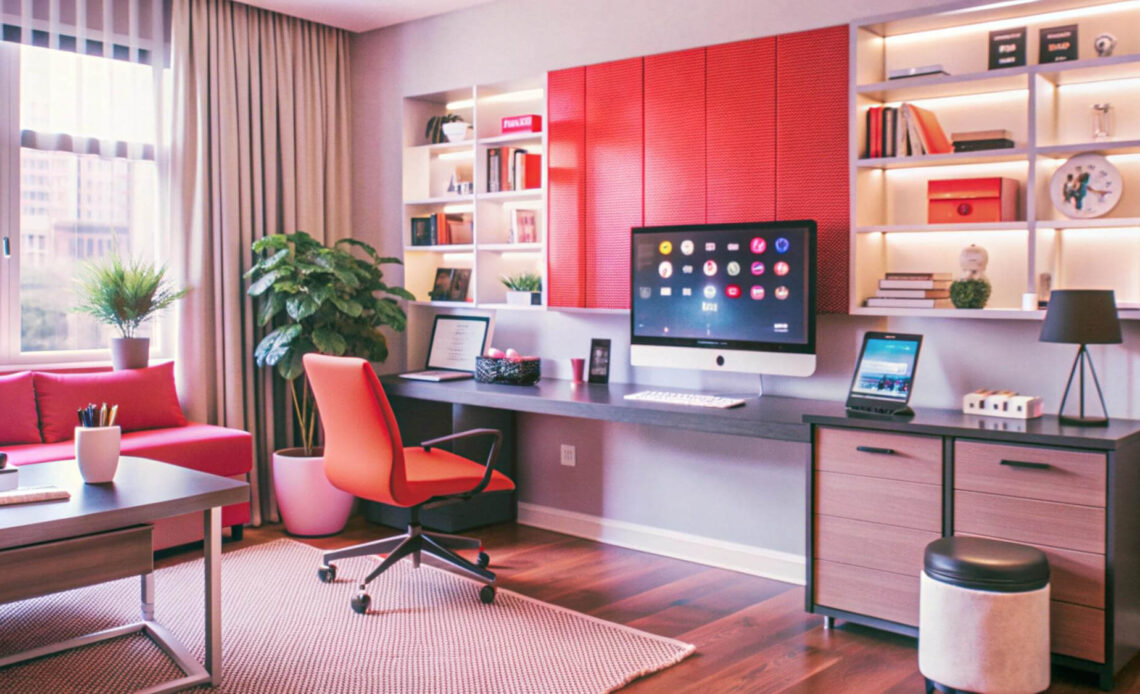
Working from home has become a way of life for so many of us, and having a well-designed home office can make all the difference. I’ve learned that the right setup isn’t just about aesthetics—it’s about creating a space where productivity and comfort go hand in hand. After all, if you’re spending hours in one spot, it should inspire focus while keeping you at ease.
Whether you’re dealing with a small corner in your living room or a dedicated room, there are countless ways to transform your workspace into something functional and inviting. From choosing the right furniture to incorporating calming elements, it’s all about finding what works best for you. A thoughtfully designed home office can boost your efficiency and make your workday a little more enjoyable. Let’s explore how you can create a space that truly supports your goals and keeps you comfortable throughout the day.
Planning Your Home Office Design
Designing a functional home office requires an efficient plan to balance productivity and comfort. I focus on my specific needs, lifestyle, and available resources during this process.
Assessing Your Space Availability
Evaluating the space ensures I make informed decisions about layout and functionality. Small spaces, like unused corners or closets, work well with compact furniture and smart storage solutions. Larger areas allow for additional features like bookshelves or lounge sections. I measure the dimensions before making purchasing decisions to create a cohesive design.
Determining Your Work Needs
I determine my daily tasks and their requirements to define my workspace essentials. Writing or administrative tasks may require a desk, laptop, and adjustable chair, whereas design work might also involve multiple monitors or drafting tables. Including proper lighting helps avoid eye strain during long work hours. I adapt the setup to fully support my work style and workflows.
Setting a Budget
Establishing a fixed budget helps me prioritize essentials without overspending. For instance, I allocate funds first for ergonomic furniture, then for secondary items like decorations or tech upgrades. Shopping sales or refurbished items provides cost-effective options without compromising on quality. I ensure any purchases align with my financial plan.
Materials And Tools
Selecting the right materials and tools ensures a home office that promotes comfort and productivity. Each item should serve a functional purpose while complementing the space.
Essential Office Supplies
I keep essential office supplies within arm’s reach to maintain workflow efficiency. These include pens, notebooks, sticky notes, and a stapler for quick organization. Cable organizers prevent clutter from chargers and cords, while file folders store important documents systematically. A whiteboard or corkboard supports task management and helps visualize daily goals. Backup supplies like printer ink and paper avoid interruptions during critical work hours.
Furniture And Decor Items
Investing in ergonomic furniture supports sustained comfort and reduces physical strain. A height-adjustable chair with lumbar support aligns the posture during extended periods of work. A sturdy desk that accommodates a laptop or desktop computer, along with additional workspace, ensures efficiency. I prefer furniture with built-in storage options for easier organization. For decor, task lighting minimizes eye strain, and natural elements like small plants foster a calming atmosphere. Wall art, rugs, or curtains add visual warmth, blending style with the office theme.
Designing Your Home Office
Creating a home office that boosts productivity and comfort involves careful planning of location, furnishings, and functional elements. I focus on optimizing each aspect to design a workspace that suits my needs.
Choosing The Right Location
Selecting an appropriate location ensures an efficient and focused workspace. I prioritize areas with minimal distractions, such as a quiet corner or a spare room, to maintain concentration. If possible, I choose spaces with natural light access, which helps enhance mood and reduces eye strain. For smaller homes, I maximize underutilized spaces like alcoves or nooks to create a defined work area.
Selecting Ergonomic Furniture
Ergonomic furniture supports long-term comfort and reduces physical strain. I invest in an adjustable chair with lumbar support and a durable desk with enough surface area for my tasks. When space is limited, I consider compact furniture, like foldable desks or wall-mounted options, to maintain functionality without overcrowding. My desk height aligns with my posture to prevent discomfort during work hours.
Optimizing Lighting For Productivity
Lighting significantly affects focus and energy levels during work. I incorporate layered lighting, such as combining an overhead fixture with a desk lamp, to reduce glare and shadows. Positioning my workspace near a window allows me to utilize natural light for a healthier environment. For late-night tasks, I use LED lights with a color temperature of 4000K–5000K to maintain alertness and clarity.
Setting Up Effective Storage Solutions
Organization enhances workflow and eliminates clutter. I use multi-functional storage, like desks with built-in drawers or wall-mounted shelves, to save space while keeping essentials accessible. For managing small items, I include desktop organizers, cable management boxes, and labeled bins. A filing cabinet or a digital document system ensures that paperwork remains orderly and easy to locate.
Incorporating Personal Touches For Comfort
Adding personal touches creates a welcoming and motivating atmosphere. I include elements like framed photos, decorative art, or a pinboard for inspiration. Greenery, like potted plants or succulents, introduces natural ambiance and improves air quality. Textures from rugs or cushions add warmth and make the space inviting, while maintaining a balance to avoid clutter and distractions.
Creating a Layout For Productivity And Comfort
Designing a functional and comfortable home office layout ensures optimal workflow and well-being. Focusing on workspace zoning, furniture placement, and cable management helps achieve this balance.
Zoning Your Workspace
I recommend dividing the workspace into clearly defined zones to support specific tasks. A work zone with a desk, chair, and primary equipment keeps focus intact, while a reference area for books and documents enhances efficiency. Optional zones, such as a relaxation corner with a small chair or mat, can help decompress during breaks. Keeping the work zone away from high-traffic home areas ensures minimal distractions.
Arranging Furniture For Maximum Efficiency
Placing furniture strategically prevents unnecessary movements and promotes ease of use. Positioning the desk near a power outlet and a window maximizes natural light and access to electricity. Arranging the chair in alignment with the desk maintains proper ergonomics. Adding a standing desk converter or mobile cart near the primary workstation brings versatility for switching positions during long work sessions. Storage units or file cabinets should stay within arm’s reach to reduce effort when accessing frequently used items.
Managing Cable Organization
Organizing cables effectively improves safety and appearance. I recommend using cable ties or clips to bundle wires and keep them off the floor. A cable management box under or adjoining the desk conceals bulky power strips and adapters. Labeling cords with tags or colored tape identifies specific devices and eliminates confusion while troubleshooting. Wireless accessories, such as mice and keyboards, can further minimize visible cable clutter.
Tips For Enhancing Comfort And Focus
A well-crafted home office combines thoughtful design elements to support both comfort and productivity. Introducing specific enhancements can significantly improve focus and overall well-being.
Adding Natural Elements Like Plants
Integrating plants into the workspace introduces a sense of calm. I recommend low-maintenance plants like pothos, snake plants, or succulents, as they thrive in various lighting conditions. Place these on the desk, shelves, or corners to purify air and provide a natural aesthetic. For tighter spaces, wall-mounted planters or hanging plants maximize greenery without using valuable surface area.
Using Color Psychology To Boost Mood
Strategic use of colors positively impacts mood and productivity. I suggest cool tones like blues and greens to promote focus and relaxation, especially for high-stress tasks. Warm tones like yellow or orange can be accent colors for energy and creativity. Incorporate these in wall colors, furniture, or decorative items such as cushions and artwork to create a balanced environment that aligns with personal preferences.
Incorporating Noise Management Solutions
Effective noise control reduces distractions. I recommend soft furnishings like curtains, rugs, or upholstered chairs to absorb sound and minimize echo. White noise machines or apps create calming background sounds that block external noise. Noise-canceling headphones are an excellent addition if the home office shares space with high-traffic areas, ensuring uninterrupted focus during critical tasks.
Common Issues And Troubleshooting
Designing a home office for productivity and comfort often comes with challenges. Addressing these common issues ensures a functional and efficient workspace.
Dealing With Limited Space
Maximizing small spaces begins with efficient layouts. I recommend selecting compact, multifunctional furniture like wall-mounted desks or foldable tables to save floor space. Vertical storage solutions, such as shelves or wall grids, help organize items without crowding the area. If the workspace doubles as another room, portable partitions create separation without permanent changes.
Combating Distractions At Home
Minimizing household interruptions relies on strategic planning. I suggest positioning the desk away from high-traffic areas like hallways or living rooms. Adding noise-blocking measures, such as thick rugs or door seals, reduces sound intrusion. Incorporating tools like noise-canceling headphones or productivity timers keeps attention on work tasks.
Managing Shared Spaces
Maintaining order in shared spaces necessitates clear boundaries. Dedicated zones for each person’s tasks help avoid overlapping usage. I find that using labeled storage bins or individual drawers simplifies organization. Discussing schedules with roommates or family members ensures everyone respects work hours, reducing conflicts.
Alternative Ideas For Small Spaces
Designing a functional home office in limited space can be accomplished with creative solutions. By incorporating adaptable elements, even compact areas can support productivity and comfort.
Convertible Furniture Options
Using convertible furniture maximizes the functionality of small spaces. I recommend foldable desks that can be stored against the wall when not in use, freeing up valuable floor space. Murphy beds with built-in desks provide sleeping space at night and a workstation during the day. Stackable chairs or stools accommodate guests easily and can be stowed away after meetings. Compact storage ottomans double as seating and keep items neatly hidden.
Multi-Purpose Workstations
Designing multi-purpose workstations enhances space efficiency in a home office. I suggest wall-mounted desks with integrated shelves to combine storage and workspace. Rolling carts with tiers act as mobile workstations, holding laptops, supplies, and cables. Drop-leaf tables, which expand only when needed, are ideal for transitioning between tasks. Adjustable standing desks, which function both as seated and standing work areas, support ergonomic needs while saving space.
Conclusion
Designing a home office that balances productivity and comfort is all about tailoring the space to meet your unique needs. By combining functionality with personal touches, you can create an environment that not only supports your work but also inspires and energizes you.
Remember, even the smallest changes—like adding ergonomic furniture, managing clutter, or incorporating natural elements—can make a big difference. A well-thought-out workspace isn’t just about aesthetics; it’s an investment in your efficiency and well-being.
Frequently Asked Questions
Why is it important to have a well-designed home office?
A well-designed home office enhances productivity, comfort, and focus, making long hours of remote work more manageable. It can also improve your overall well-being by creating a functional, inviting space tailored to your personal and professional needs.
How can I create a home office in a small space?
For small spaces, use compact, multifunctional furniture like foldable desks or wall-mounted shelves. Vertical storage and convertible designs, such as Murphy beds with desks, help maximize efficiency without compromising space.
What furniture is essential for a productive home office?
Ergonomic furniture, including a height-adjustable chair and a sturdy desk, is essential for comfort and productivity. Adding storage solutions like file cabinets or shelves helps keep your workspace organized.
How do I manage cables and clutter in my workspace?
Use cable ties, management boxes, and wireless accessories to minimize cable clutter. Invest in organizational tools like labeled bins, drawer organizers, and filing systems to keep your workspace neat and efficient.
How can lighting improve my home office?
Layered lighting, including task lamps and ambient lighting, enhances focus and reduces eye strain. Position your workspace near natural light sources to boost mood and energy levels during the day.
What are some cost-effective ways to set up a home office?
Set a budget beforehand and prioritize essentials like a desk and chair. Look for secondhand furniture, shop sales, or repurpose existing items to save money without sacrificing quality or functionality.
How can I avoid distractions while working from home?
Position your desk away from high-traffic areas and use noise-blocking solutions like white noise machines or soft furnishings. Establish clear work boundaries to separate professional and personal spaces.
What are some tips for personalizing a home office?
Incorporate decorative elements like wall art, rugs, or greenery to make the space inviting. Use color psychology to create an inspiring atmosphere, choosing cool tones for calmness or warm tones for energy.