
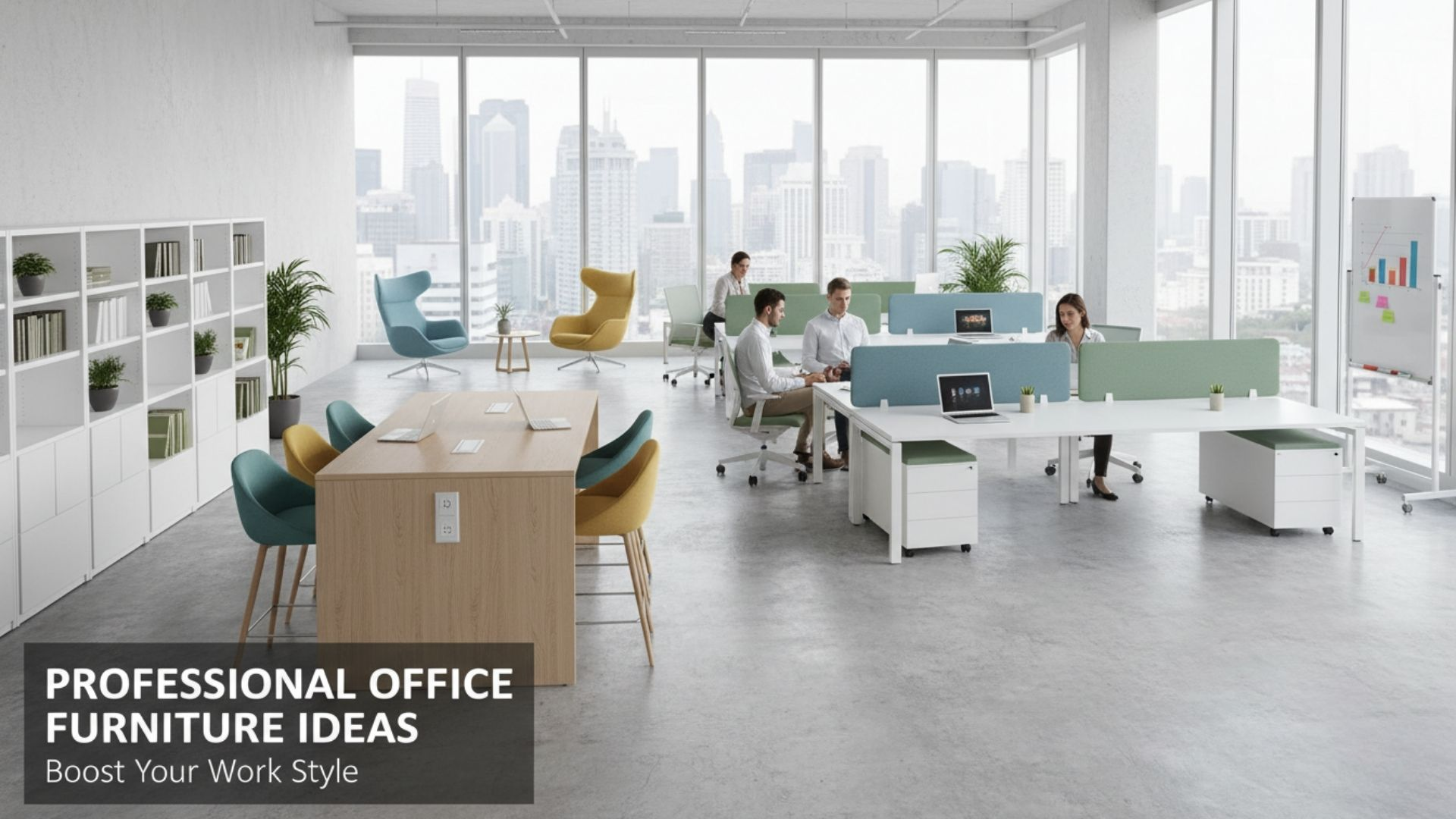
Designing a productive office is about much more than choosing a stylish desk and a decent chair. The furniture that surrounds your team shapes posture, energy, focus and even how fast people get work done. Good pieces quietly remove friction from the day, while bad ones slowly drag performance down.
Research on ergonomics and seating shows that when workers have furniture that supports healthy posture and movement, they report less discomfort and higher productivity.
Whether you are furnishing a new office or upgrading a home workspace, the right mix of seating, desks and support pieces can turn just functional into a space that actively helps people do better work.
Here are practical furniture ideas, with a focus on solutions widely available from established US brands like Herman Miller, Steelcase, Branch, Humanscale, Ergotron, Uplift Desk and others.
Start With A Truly Ergonomic Task Chair
If you only invest in one piece of serious office furniture, make it the primary task chair. The goal is not luxury, it is adjustability and support that holds up for eight hour days.
In practice that means height and seat depth adjustment, lumbar support that can be positioned to match the natural S curve of the spine, and armrests that move up, down and in toward the torso so shoulders can relax.
Premium models such as Herman Miller’s Aeron or Steelcase Leap, as well as newer players like Branch, are designed specifically for this kind of long term use.
The payoff is real. In a year long study of workers given an ergonomic chair and coaching, productivity improved by up to 17.8 percent, along with measurable reductions in musculoskeletal complaints.
Other analyses suggest ergonomic chairs can boost productivity by around 15 percent while significantly improving back and neck comfort.
When you multiply those gains across a team, a well chosen chair quickly stops looking like a cost and starts looking like a performance tool.
Upgrade To A Height Adjustable Sit Stand Desk
Sitting all day is hard on both body and mind, but standing all day is not the answer either. A good height adjustable desk lets people switch between sitting and standing in short, frequent intervals.
That mix of positions helps reduce stiffness and can nudge energy and focus upward. A six month study from Texas A&M University found that employees using sit stand desks were 46 percent more productive than colleagues at fixed seated workstations.
Well regarded US brands such as Uplift Desk, Branch and others offer electric desks with broad height ranges, stable frames and programmable presets. Health experts suggest pairing the desk with a sensible routine rather than standing for hours at a stretch.
Rotating between sitting and standing and using an anti fatigue mat when standing can deliver benefits in mood, energy and ability to finish tasks without the strain that comes from locking into any single posture.
Add Monitor Arms To Dial In Eye Level
Screens that sit too low or too far away force people to crane their necks and lean forward. Over a week is mildly annoying. Over a year it is one of the simplest ways to accumulate neck and upper back pain and the distraction that comes with it.
Adjustable monitor arms fix this by lifting displays off the desk and letting users pull the screen closer or push it away while keeping the top of the monitor at or just below eye level.
Companies such as Ergotron and Humanscale have built their reputations on commercial grade monitor arms that clamp to most desks and support a wide range of monitor sizes and weights.
By freeing up desk space and making it easy to keep the screen centered and at the right height, arms support a more relaxed, neutral posture. The result is less fidgeting, fewer microbreaks to ease discomfort, and a smoother flow during deep work sessions.
Read More: Home Office Design Tips
Use Keyboard Trays And Input Tools That Fit The Body
Even when the chair and monitor are perfect, a high keyboard and mouse can leave wrists cocked at awkward angles or shoulders lifted all day.
A simple under desk keyboard tray lets you lower the typing surface so elbows rest comfortably at roughly ninety degrees, with wrists floating straight rather than bent up.
Many US ergonomic furniture lines pair keyboard systems with negative tilt platforms that let the keys slope gently away from you, which helps keep wrists neutral.
Consider pairing the tray with a full size keyboard and a responsive, correctly sized mouse or trackball. The goal is to keep your arms close to your sides instead of reaching forward.
When typing and pointing feel natural and strain free, people can stay focused on the task in front of them instead of constantly stopping to shake out their hands or stretch their shoulders.
Choose Storage That Keeps Surfaces Clear
Cluttered desks are not just a visual issue. When people have to shuffle piles of paper or dig through random drawers to find what they need, they lose time and momentum throughout the day.
Compact storage such as mobile pedestals, slim filing cabinets and credenzas that sit behind the primary workstation keeps essentials close and visible without swallowing the desk surface.
Many office furniture manufacturers design storage lines in the same finishes as their desks, which keeps the office looking professional. Lockable drawers protect personal items and sensitive documents, while open shelving or cubbies can hold reference material and shared supplies.
The practical test is simple: if a person can stand up, grab what they need in a few seconds and get back to work without breaking concentration, the storage is doing its job.
Add Acoustic Panels And Privacy Screens
Noise is one of the most common complaints in open offices, and it directly impacts concentration. Acoustic furniture absorbs sound before it bounces across the room.
Examples include felt desk screens, freestanding acoustic panels, upholstered divider walls and even high back lounge seating that wraps slightly around the user. These pieces help carve out quieter microzones without the cost of building new walls.
Brands focused on contract furniture often offer acoustic lines designed to coordinate with their desks and seating.
By placing panels between workstations and in key reflection points, you reduce the busy feel of a space and give people a better chance of holding focus during deep tasks or video calls. Over time, this kind of environment supports better quality work and less fatigue from constant distraction.
Read More: Creating a Home Office Design Ideas for Productivity and Comfort: Your Ultimate Guide
Use Collaborative Tables With Built In Power
Not every task belongs at a personal desk. When teams want to brainstorm, review layouts or work together on a shared screen, a dedicated conference or collaboration table works better.
Look for tables that are proportioned for laptops and sketchpads, with power and data access in the middle so people are not tripping over floor cables.
Many office furniture systems include conference and huddle tables that match the look of workstations and allow for power modules, cable troughs and mounting for shared displays.
When it is easy to sit down, plug in and see the same information, meetings can stay shorter and more focused. People spend less time wrestling with adapters and more time solving the actual problem in front of them.
Create Soft Seating Zones For Focused Breaks
Productivity is not only about how hard people work. Short, intentional breaks help the brain reset, especially between cognitively demanding tasks.
Soft seating such as compact lounge chairs, small sofas and upholstered benches gives staff a place to step away without leaving the office altogether. Those manufacturers known for task chairs now offer matching lounge collections for this reason.
These zones work best when they are close enough to feel convenient but visually separate from desk areas. A small coffee table or side table gives people a surface for a laptop or notebook if inspiration strikes.
The aim is to provide an alternative posture and atmosphere, so that workers can return to their desk with renewed attention instead of grinding through fatigue.
Invest In Mobile, Reconfigurable Pieces
Modern offices rarely stay static. Teams grow, project styles change and hybrid schedules mean different people are in the office on different days.
Furniture that can roll, fold, or stack makes it much easier to adapt the layout without calling a contractor. Examples include nesting training tables on casters, stackable side chairs and mobile whiteboards that double as space dividers.
Usable flexibility matters more than gimmicks. Look for locking casters that keep pieces from drifting, sturdy mechanisms that stand up to frequent moves and finishes that will still look good after years of rearranging.
When the furniture can keep up with the way people actually work, you reduce friction and create a space where teams can quickly configure the environment around the task instead of forcing the task to fit the room.
Add Private Phone Booths Or Focus Pods
Sometimes productivity demands real privacy. Phone and focus booths are self contained, acoustically treated pods that sit on top of existing floors like a piece of furniture.
They typically include ventilation, power, a small worksurface and lighting. While they require investment, they can be moved if your office relocates and they avoid the complexity of building permanent enclosed rooms.
For hybrid teams doing frequent video calls, a few well placed pods can dramatically reduce noise in the open office and give people a reliable place to take sensitive conversations.
The result is fewer interruptions at shared desks, clearer calls and less frustration from trying to whisper work in a space that was never designed for it.
Do Not Forget Task Lighting And Desk Lamps
Lighting is often treated as an afterthought, yet it has a direct impact on eye strain and alertness. Overhead fixtures alone rarely deliver the right combination of brightness and control.
An adjustable task lamp or integrated light bar on or above the desk lets each person set the level and direction that feels comfortable for reading, writing and screen work.
Several ergonomic-focused brands include task lights in their product lineup so that lighting coordinates with other workstation elements.
The key features to look for are a stable base or clamp, a wide range of motion and simple controls to adjust brightness and color temperature.
When people can see clearly without glare or squinting, they can sustain focus longer and feel less drained at the end of the day.
Read More: Saving Space with 10 Multifunctional Furniture Ideas for Stylish Small Living
Conclusion
Productivity is rarely the result of a single dramatic change. It is the sum of many small, smart decisions that make it easier for people to do their best work.
Professional grade office furniture is one of the most concrete ways to make those decisions visible. A supportive chair, a height adjustable desk, a well placed monitor arm or an acoustic panel will not rewrite your strategy, but together they shape the daily experience of work.
Start by upgrading the pieces that touch the body most often: chair, desk, monitor position and input tools. Then layer in storage, acoustic comfort, collaborative tables and flexible zones that support how your team actually works today.
With thoughtful choices from reliable US furniture makers, your office can become more than a place to sit. It can quietly become one of your most effective productivity tools.
